← All Guides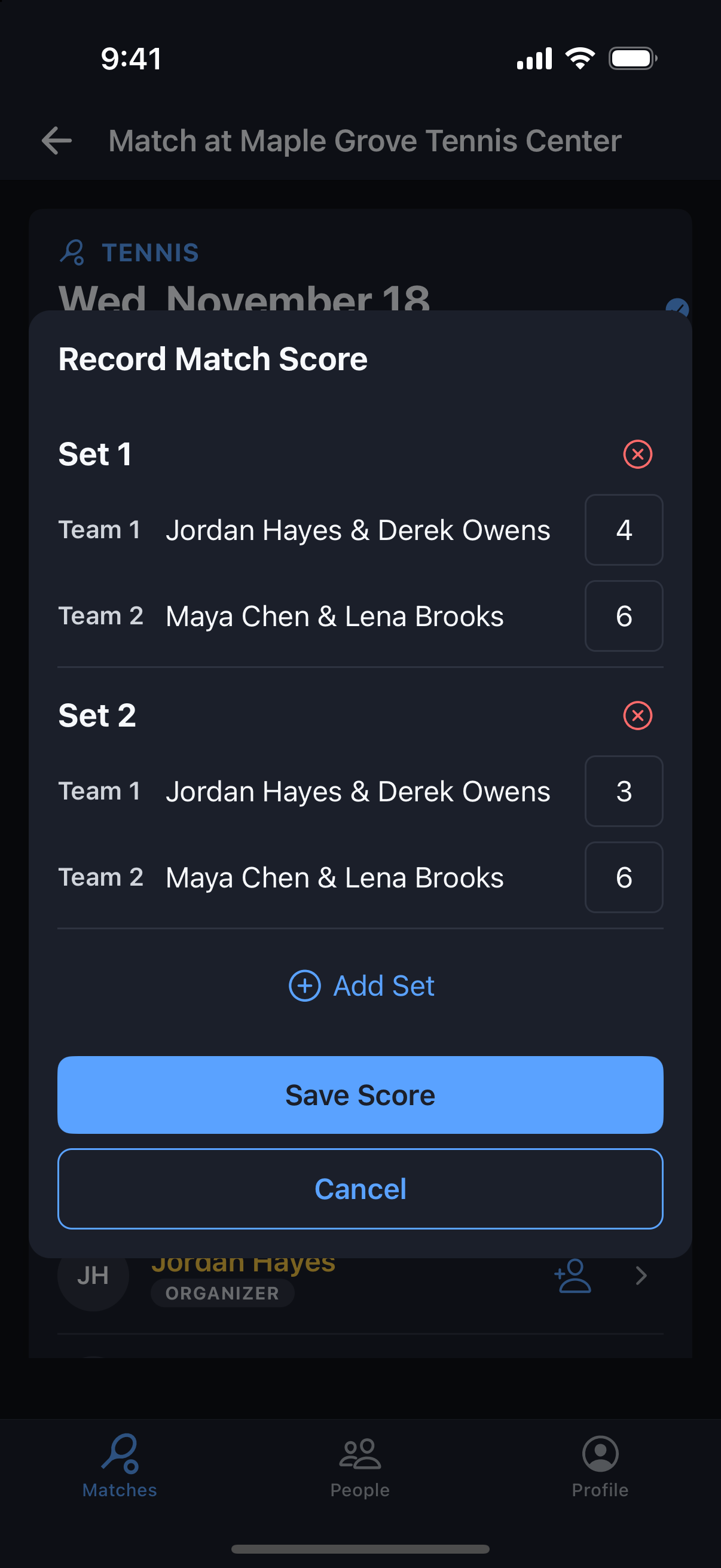
Matches
Record a Match Score
Save the score after you play, and everyone’s win/loss record keeps itself.
Why it's useful
A recorded score counts toward every player’s win/loss record. Score entry opens 1 hour after the match’s start time and stays open for 3 days, and players can fix a typo for 30 minutes after it’s saved.
Steps
- 1After you play, open the match from your Matches tab.
- 2Tap Record score. Any player in the match, or the organizer, can record it.
- 3Enter each set’s games for Team 1 and Team 2. Tap Add Set for each additional set.
- 4Tap Save Score, check the score read back under Save this score?, and tap Confirm. The score shows on the match right away as Final.
- 5Made a mistake? For 30 minutes after the score is first saved, any player in the match can tap Edit Score and fix it. A fix that changes who won asks Change the winner? first, saying who will be told, and players can change who won only once.
- 6After that, the player who recorded the score and the organizer can still edit it while score entry is open. If a fix changes who won, the person who recorded the score and the organizer or the players affected get a Result Corrected notice.