← All Guides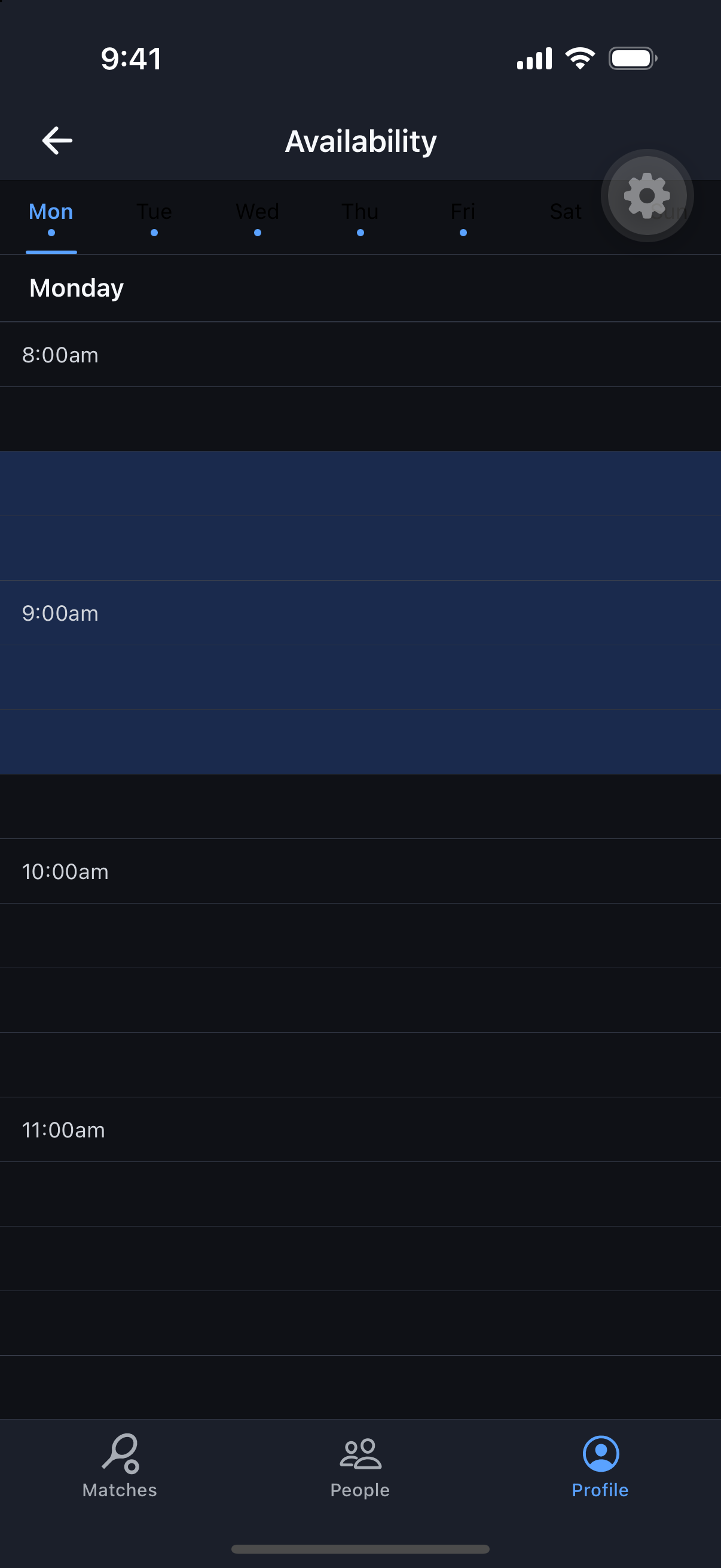
Getting Started
Set Your Availability
Tell MatchScheduler when you’re free, and let open matches come find you.
Why it's useful
Setting a weekly availability window powers Open-Match Alerts — an opt-in notification that pings you when a new match is created that fits both your schedule and your sports.
Steps
- 1Go to the Profile tab and open Availability.
- 2Tap through each day’s tab — Monday through Sunday.
- 3Paint the time blocks you’re typically free to play on each day; changes save automatically as you tap.
- 4Turn on Open-Match Alerts if it isn’t already, so matching new matches notify you.