← All Guides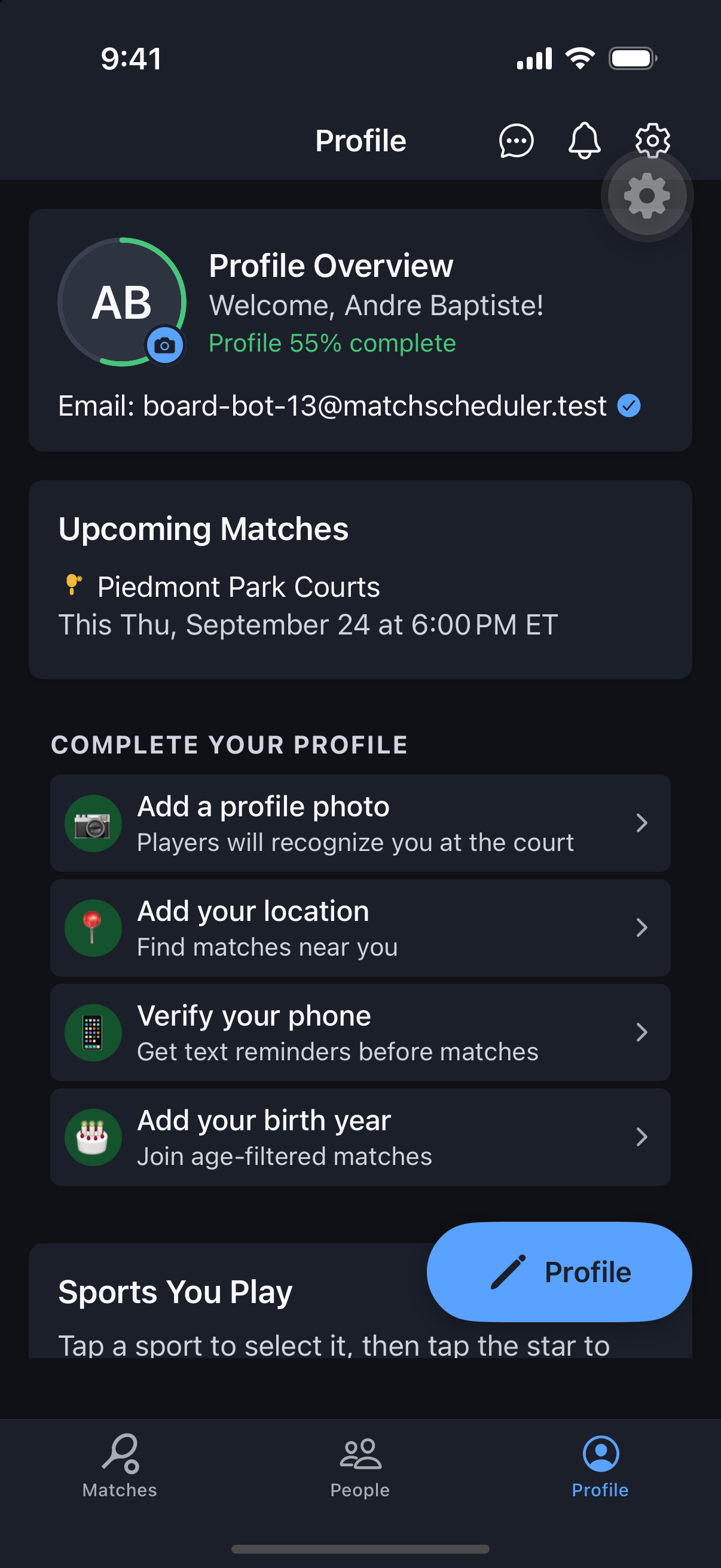
Getting Started
Complete Your Profile
Your Profile is how other players see you — your Preferences are how the app behaves for you. Knowing the difference saves you a lot of hunting through menus.
Why it's useful
A complete profile (photo, sports, skill levels) builds trust with organizers and gets you approved into matches faster. Preferences, kept separate, control notifications and app behavior without cluttering the identity info other players see.
Steps
- 1Open the Profile tab — it’s a hub showing your avatar, completion percentage, sports, and favorite parks.
- 2Tap Update Profile to edit identity fields: name, gender, phone, per-sport skill levels, birth year, and location.
- 3Star your primary sport so it’s visible to others at a glance.
- 4Add favorite parks so they’re quick to select when creating or filtering matches.
- 5Separately, open Preferences from the gear/header menu to set notification channels, reminders, name sort order, and theme — this is about how the app behaves for you, not how you appear to others.
- 6Toggle Open-Match Alerts on Profile if you want to be notified when new matches match your availability.